Introducing a Fully Autonomous AI Newsletter Agent: Curate, Write, and Send Weekly Updates


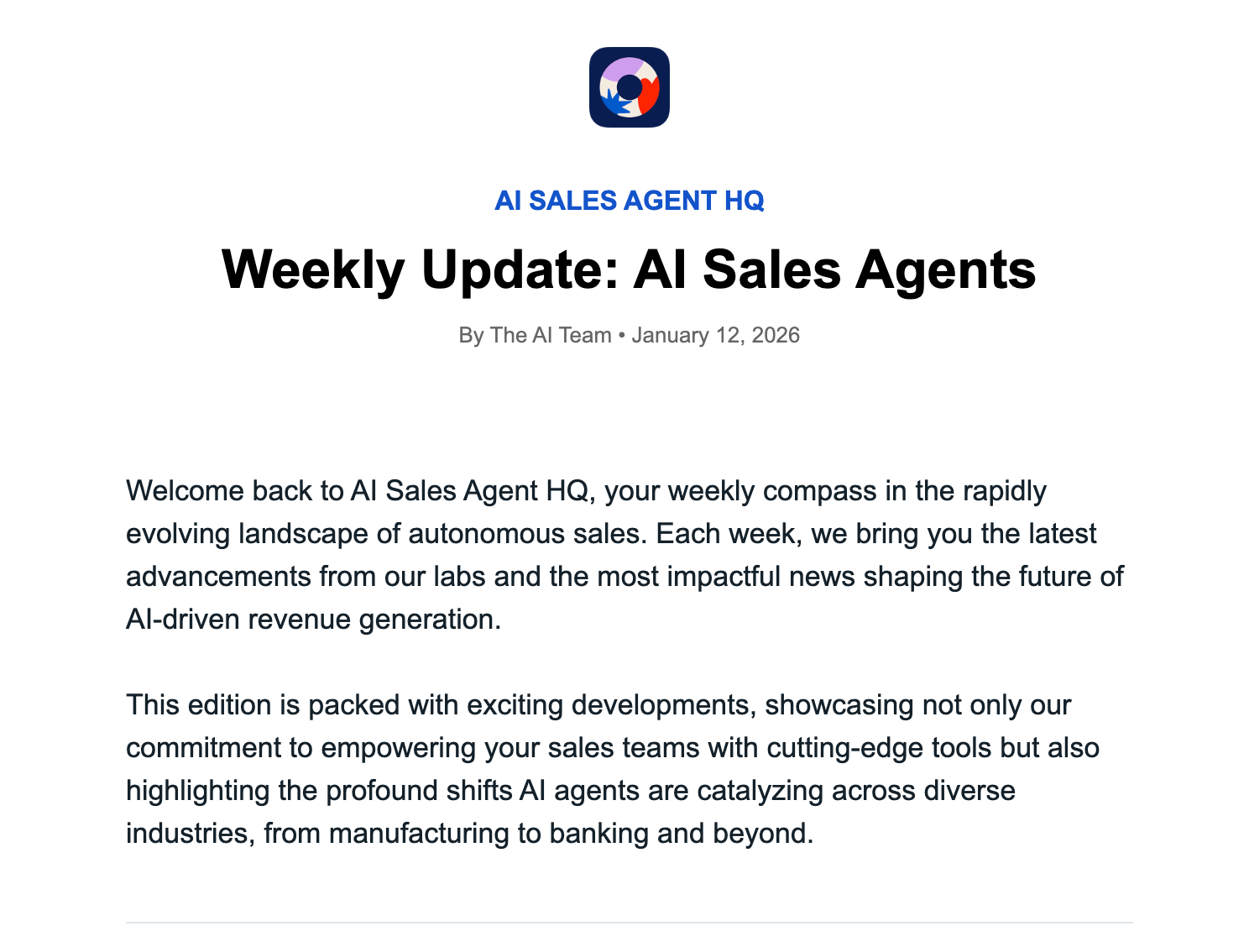
Today, we’re releasing the AI Newsletter Agent Template for n8n.
The Problem with Most "AI Newsletters"
Most automated newsletter tools do one of two things:
- They only look at external news (ignoring your company's actual progress).
- They only regurgitate your own blog posts (ignoring the wider market context).
Neither of these feels like a complete update. A great newsletter balances what you are doing with what is happening in the market.
The Hybrid Approach: How This Template Works
We designed this n8n workflow to act like a human editor doing deep research. Every week on schedule, it performs a sophisticated two-part operation:
Phase 1: The Internal Deep Dive
First, the agent scans your company blog or changelog. It’s looking specifically for new features, updates, or announcements you’ve published in the last 7 days. It grabs the details to ensure your product momentum is front and center.
Phase 2: The Market Pulse
Next, it turns outward. Based on a topic you define (e.g., "AI Sales Agents" or "FinTech Trends"), it searches the broader web for the most significant news stories of the week, filtering out noise to find the signal.
Phase 3: The Narrative AI Editor
This is where the magic happens. Instead of just listing the links, the workflow feeds all this research into a sophisticated AI Agent.
We have prompted this agent to write in a professional, narrative style—like a real industry insider. It synthesizes the internal updates into exciting announcements (complete with "Why it matters" context) and summarizes the external market news into punchy, readable insights.
Finally, it merges this content into a beautiful, mobile-responsive HTML email template and sends it via Gmail.
Fully White-Labeled in Minutes
We built this template to be used by anyone, for any industry.
We know you don’t want an email that says "Built by [Our Company]." You want it to look like your brand.
We’ve included an easy "configuration" step right at the start of the workflow. By changing just a few fields, you customize the entire output:
- Your Logo URL
- Your Newsletter Name & Email Title
- Your Author Name
- Custom Section Headers (e.g., change "Industry Pulse" to "Market Movers")
- Your Subscribe/Call-to-Action Link
Get the Template
This workflow turned a 4-hour Friday task into a zero-hour task for us. We’re excited to see what you do with it.
How to set it up:
- Import the JSON file into your n8n instance.
- Read the Yellow Sticky Note at the start of the flow.
- Open the node below it named "Edit Fields".
- Update the dummy URLs and names with your own brand information.
- Activate the workflow.
Your next weekly update will write itself.